« Bogie Thoughts


Some Typos Are Worse Than Others
Oops!
There’s probably not a public school district in America that has never published or posted something with that most-embarrassing typo for public.
Avoid mistakes in the first place
First, take some time to think about your company name, your products or services, the people and things you write about regularly. Are any of those a typo away from a word you would never use in your communications? Make a dirty-words list. Think about other words you’d never use. Put them on that list.
Of course, it’s not just naughty words. There are some words used in conversation, advertising, and pervasive in popular culture that you should add to your dirty-words list. The two that bother me the most are “unique” and “quality” and how people use them with and without modifiers. Unique should never have an adjective unless it’s “not.” There’s no “somewhat unique” just as there’s no “somewhat one-of-a-kind.” If you are qualifying it, you mean “distinct.” If you want to tell us about the quality of your product, be specific. Here we want an adjective. Rosewater Makes Quality Soap! OK, Rosewater, is it low-quality, high-quality, bargain basement-quality soap? It’s a missed opportunity to not explicitly tell us about the high quality of your product is. Put those two words in your dirty-words list to force yourself to think harder when they pop into your head.
Books about words
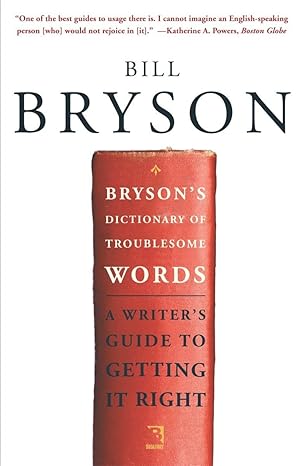
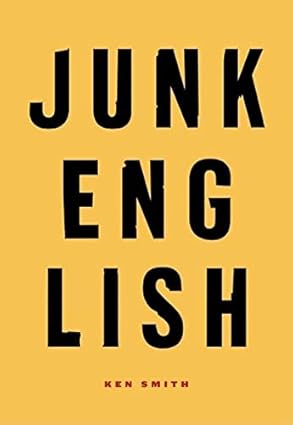
A long, long time ago, I picked up Bryson’s Dictionary of Troublesome Words by Bill Bryson and Junk English by Ken Smith. If it’s early enough in the day, and you can get two-hour delivery from Amazon, you could probably read both of these books by the end of today. And your writing will be better forever. You might find some words or phrases that have crept into your vocabulary that you decide need to go.
Oh, @#$%! I said @#$% when I meant ship

Oops!
Now you’ve done it. You are in big trouble. The worst case here is a widely distributed print piece instead of an online post can quickly be edited or deleted. Let’s ask master crisis communicator Steve Linders—the guy who has defined and teaches crisis communications in the Twin Cities—for his advice in this scenario.

Steven Linders
Public Information Officer, Ramsey County Sheriff’s Office
Crisis Communications Strategist, LETAC USA
As Jimmy Buffett once sang, there’s a thin line between Saturday night and Sunday morning—and sometimes the only thing you can do is … say “Oops.”
When a serious typo or error slips through in high-stakes widely distributed materials, the most effective response combines three elements:
- Own it quickly and simply—lead with a genuine, unadorned “Oops” or “We’re sorry.” No long excuses, no defensiveness. A short, human acknowledgment usually disarms the story faster than anything else.
- Put the error in honest perspective—calmly explain the scope: how many eyes reviewed it, that this was the only mistake in X-thousand words, and that the core message remains accurate and useful. Facts reduce the perceived severity without minimizing responsibility.
- Turn the mistake into immediate improvement—right away, put new safeguards in place: build and use a “Dirty Words List” in spell-check, add custom exclude dictionaries (especially for Microsoft Word), require additional rounds of review on covers/headlines/titles, and give every team member sharper tools (literal red pens or digital equivalents). Follow through so the next piece is demonstrably cleaner.
This approach works whether the slip is mildly embarrassing (“pubic” vs. “public”) or far more serious. The tone may shift to show you care—more sobriety and less glibness when the word is profane—but the structure stays the same: quick ownership, clear context, real fixes.
In the real world
For me, it was School Choice Season, just after the turn of the century (the most recent one), and I was working for the Saint Paul Public Schools. Each year we published the “Saint Paul Public Schools School Choice Catalog” and mailed it to every address in the city—more than 100 pages to more than 150,000 households.
Except this year, we spelled “Public” wrong.
One copy landed up University Ave at the headquarters of 5 Eyewitness News/KSTP-TV. A reporter called about the cover that read: “Saint Paul Pubic Schools: School Choice Catalog.”
We had proofread it. I’d proofed it myself and somehow missed the missing “L,” even though it was right there on the cover.
At first I resisted doing an interview. It was embarrassing, yes—but was anyone really going to misunderstand that this catalog was meant to help them choose a school for their child? In the grand scheme, it wasn’t a big deal. Still, the entire communications team was mortified.
We eventually agreed to talk. Our talking points:
- Oops
- We’re sorry
- The typo on the cover is the only typo in the entire catalog (more than 100,000 words)
- All of the other 99,999 words—including “public” in the 179 other places it appeared—are correct
- Oops again.
Just before I was about to sit for the interview, the superintendent walked in, clipped on a mic, sat down, and opened with a single word: “Oops.”
The interview lasted under five minutes. The aired story was about 45 seconds. We received zero public complaints about the word “pubic.”
We took a light-hearted public stance, but internally the communications team complained the loudest—about our own sloppiness. Then we acted: we implemented exactly the kinds of preventive steps Terrence recommends (Dirty Words List, Microsoft Word Exclude Dictionary, extra eyes on critical pieces) We sharpened our red pens [sic] and made sure everyone had a few.
It worked. And had the word been “sh!t” instead of “ship,” we would have done the same thing—just with less glibness and the same genuine apology.
Tools you can use
Microsoft Word Exclude Dictionary
If you are composing in Microsoft Word, I have an easy solution for you.
- Go to: %appdata%\Microsoft\UProof (paste in File Explorer address bar or Windows Key+R)
- Either create new text file named: ExcludeDictionaryEN0409.lex (for US English) or move to step three if there already is one
- Open ExcludeDictionaryEN0409.lex to edit (right click, open with, Notepad)
- Add one lowercase word per line
- Save, keeping the .lex extension
- Restart Word
Words in that file will now get the red squiggle.
Now, I could create a ExcludeDictionaryEN0409.lex file that you could drop in that location on your PC, but I don’t personally know any of those naughty words. Don’t show anybody that file.
If you aren’t composing in Word, like in a web content management system, Canva, or an Adobe product, you can paste the content into Word to give it a better spell check than your browser offers.
Or you can add the plugin I created to help you check for these offending words in your WordPress editor.
Bogie’s Dirty Words Highlighter plugin for WordPress
It’s free.
Step one: Download my plugin
- Download the Bogie’s Dirty Words Highlighter plugin ZIP file to your computer
Make sure the file remains a .zip file—do not unzip it.
Step two: Install the plugin in WordPress
- Log in to your WordPress dashboard
- In the left‑hand menu, go to Plugins → Add New
- Click the Upload Plugin button at the top
- Click Choose File, select the downloaded dirty-words.zip, and click Open
- Click Install Now
Step three: Activate the plugin
Once installation finishes:
- Click Activate Plugin
- After activation, go to Settings → Dirty Words to add the words or phrases you want the editor to flag
Now edit a page
When you are in your WordPress classic editor, you’ll see a Disaster Check button in the toolbar. Click it before publishing your page to review for words you’ve added to your Dirty Words in settings.