• Home
  • About
    • Contact
  • Services
    • Branding
    • Websites
    • Communications
    • Advertising
  • Case Studies
  • Articles

Pronouncing Mahtomedi, Monticello, and Montevideo in the home of 3M

March 5, 2026 Terrence Bogie

Stay tuned

I’m building a new tool designed to make becoming a communications pro fast and easy—especially for people who never wanted to be a communications pro but are having that role tacked on to their already important job. It’s called The Vault, and it is going to be fantastic.

Here is a sample ebook from The Vault (three pages from the 18-page Pesky Words eBook)

It’s going to host a variety of tools including quick lessons and reference guides on design, writing, and speaking with deep dives on other helpful topics like this one. Finding no comprehensive guide to Minnesota place-name pronunciations, I’m building one in The Vault.

In the meantime, I gathered these tools to help you avoid mispronunciations in your business and professional dealings in Minnesota, Wisconsin, and Iowa.

Locals have a way of doing things and a way of saying things. Here’s your guide to pronouncing Minnesota, Wisconsin, and Iowa place names like a pro.

Minnesota

Mahtomedi appears in these videos.

Here are some not covered in the videos:

  • Aitkin Rhymes with bacon (not “AIT-kin”)
  • Chokio SHOW-kee-oh (not “CHO-kee-oh”)
  • Monticello Not like Jefferson’s house (cello) here, we say it like Mont-ə-SELL-o.
  • Montevideo Not vi-day-o, more like a Friday night trip to Blockbuster to rent Grumpy Old Men.

See video here: https://www.youtube.com/watch?v=LN9JavEQvQg

  • New Prague around here rhymes with New Flag.

Minnesota’s Most Mispronounced Cities And Towns | KOOL 108

Are These the 10 Most Difficult MN Lake Names to Pronounce?

See video here: https://www.youtube.com/watch?v=7OwDB5jbGfU

@darintheminnesotan

Think you know how to pronounce Minnesota city names? Think again. Visitors—and even some locals—get tripped up all the time. Wayzata might be the most mispronounced city name in the entire country. The correct way? “Why-zet-uh.” Not “Way-zat-uh.” Here are a few others that cause confusion: • Bemidji = Buh-midge-ee • Shakopee = Shock-ah-pee • Cloquet = Kloh-kay • Faribault = Fair-boe • Ely = Ee-lee • Owatonna = Oh-wuh-tawn-uh The list goes on—and the roots of these names go deep into Minnesota’s Native American and Scandinavian history. Mispronouncing them is a quick way for locals to know you’re not from here. 💬 Which Minnesota city name do YOU always hear said wrong? Comment below—let’s settle the debate once and for all. 👉 Follow @darintheminnesotan for more Minnesota insights, lifestyle, and local real estate updates. #darinbjerknes #MinnesotaLife #Wayzata #Edina #OnlyInMinnesota

♬ original sound – Darin Bjerknes – Realtor

Wisconsin

Here are some commonly mispronounced in western Wisconsin:

  • Menomonie meh-NOM-uh-nee (not “men-oh-MO-nee” or “men-oh-mon-ee”)
  • Mukwonago muhk-WAH-nuh-go (not “muck-wuh-NAH-go”)
  • Prairie du Chien prer-ee doo SHEEN (not “prayer-ee doo shee-en” or French-style)
  • Minocqua mih-NOCK-wuh (not “min-oh-KWA”)

MissPronouncer

  • Cities
  • Towns
  • Villages
  • Unincorporated
  • Counties

Pronounce Wisconsin interactive map [sound on] Click a place, hear the pronunciation

Pronunciation Guide for National Forests and Grasslands (WI) | US Forest Service

Iowa

Pronouncing Iowa Place Names: An Audio Guide | Iowa Public Radio Click the title of each alphabetical section to view.

Bet you didn’t see this one coming:

Or if you know the Wisconsin pronunciation of Osceola, this might be disturbing:
communications pesky words, pronunciation

Jen Longaecker

February 5, 2026

communications crisis communications, critical communications, government relations, media relations

Joe Ketzner

February 5, 2026

communications, websites cybersecurity, risk analysis, security auditing

Steve Linders

February 4, 2026

communications crisis communications, media relations, public relations

Some Typos Are Worse Than Others

January 30, 2026 Terrence Bogie

Oops!

There’s probably not a public school district in America that has never published or posted something with that most-embarrassing typo for public.

Avoid mistakes in the first place

First, take some time to think about your company name, your products or services, the people and things you write about regularly. Are any of those a typo away from a word you would never use in your communications? Make a dirty-words list. Think about other words you’d never use. Put them on that list.

Of course, it’s not just naughty words. There are some words used in conversation, advertising, and pervasive in popular culture that you should add to your dirty-words list. The two that bother me the most are “unique” and “quality” and how people use them with and without modifiers. Unique should never have an adjective unless it’s “not.” There’s no “somewhat unique” just as there’s no “somewhat one-of-a-kind.” If you are qualifying it, you mean “distinct.” If you want to tell us about the quality of your product, be specific. Here we want an adjective. Rosewater Makes Quality Soap! OK, Rosewater, is it low-quality, high-quality, bargain basement-quality soap? It’s a missed opportunity to not explicitly tell us about the high quality of your product is. Put those two words in your dirty-words list to force yourself to think harder when they pop into your head.

Books about words

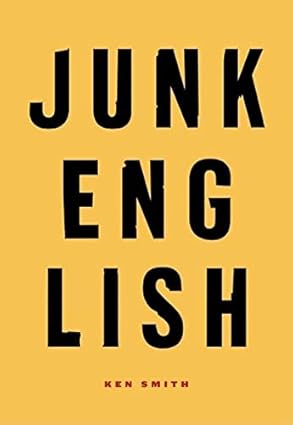
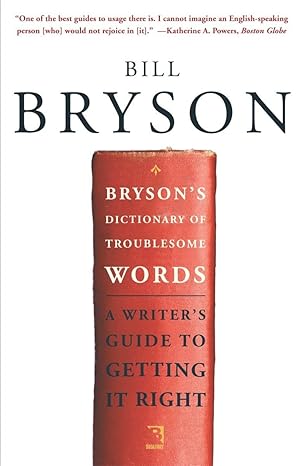
A long, long time ago, I picked up Bryson’s Dictionary of Troublesome Words by Bill Bryson and Junk English by Ken Smith. If it’s early enough in the day, and you can get two-hour delivery from Amazon, you could probably read both of these books by the end of today. And your writing will be better forever. You might find some words or phrases that have crept into your vocabulary that you decide need to go.

Bryson's Dictionary of Troublesome Words by Bill Bryson
Junk English by Ken Smith

Oh, @#$%! I said @#$% when I meant ship

Midland City "Pubic" Schools Fall Catalog 1985

Oops!

Now you’ve done it. You are in big trouble. The worst case here is a widely distributed print piece instead of an online post can quickly be edited or deleted. Let’s ask master crisis communicator Steve Linders—the guy who has defined and teaches crisis communications in the Twin Cities—for his advice in this scenario.

Steven Linders

Steven Linders

Public Information Officer, Ramsey County Sheriff’s Office
Crisis Communications Strategist, LETAC USA

As Jimmy Buffett once sang, there’s a thin line between Saturday night and Sunday morning—and sometimes the only thing you can do is … say “Oops.”

When a serious typo or error slips through in high-stakes widely distributed materials, the most effective response combines three elements:

  1. Own it quickly and simply—lead with a genuine, unadorned “Oops” or “We’re sorry.” No long excuses, no defensiveness. A short, human acknowledgment usually disarms the story faster than anything else.
  2. Put the error in honest perspective—calmly explain the scope: how many eyes reviewed it, that this was the only mistake in X-thousand words, and that the core message remains accurate and useful. Facts reduce the perceived severity without minimizing responsibility.
  3. Turn the mistake into immediate improvement—right away, put new safeguards in place: build and use a “Dirty Words List” in spell-check, add custom exclude dictionaries (especially for Microsoft Word), require additional rounds of review on covers/headlines/titles, and give every team member sharper tools (literal red pens or digital equivalents). Follow through so the next piece is demonstrably cleaner.

This approach works whether the slip is mildly embarrassing (“pubic” vs. “public”) or far more serious. The tone may shift to show you care—more sobriety and less glibness when the word is profane—but the structure stays the same: quick ownership, clear context, real fixes.

In the real world

For me, it was School Choice Season, just after the turn of the century (the most recent one), and I was working for the Saint Paul Public Schools. Each year we published the “Saint Paul Public Schools School Choice Catalog” and mailed it to every address in the city—more than 100 pages to more than 150,000 households.

Except this year, we spelled “Public” wrong.

One copy landed up University Ave at the headquarters of 5 Eyewitness News/KSTP-TV. A reporter called about the cover that read: “Saint Paul Pubic Schools: School Choice Catalog.”

We had proofread it. I’d proofed it myself and somehow missed the missing “L,” even though it was right there on the cover.

At first I resisted doing an interview. It was embarrassing, yes—but was anyone really going to misunderstand that this catalog was meant to help them choose a school for their child? In the grand scheme, it wasn’t a big deal. Still, the entire communications team was mortified.

We eventually agreed to talk. Our talking points:

  • Oops
  • We’re sorry
  • The typo on the cover is the only typo in the entire catalog (more than 100,000 words)
  • All of the other 99,999 words—including “public” in the 179 other places it appeared—are correct
  • Oops again.

Just before I was about to sit for the interview, the superintendent walked in, clipped on a mic, sat down, and opened with a single word: “Oops.”

The interview lasted under five minutes. The aired story was about 45 seconds. We received zero public complaints about the word “pubic.”

We took a light-hearted public stance, but internally the communications team complained the loudest—about our own sloppiness. Then we acted: we implemented exactly the kinds of preventive steps Terrence recommends (Dirty Words List, Microsoft Word Exclude Dictionary, extra eyes on critical pieces) We sharpened our red pens [sic] and made sure everyone had a few.

It worked. And had the word been “sh!t” instead of “ship,” we would have done the same thing—just with less glibness and the same genuine apology.

Tools you can use

Microsoft Word Exclude Dictionary

If you are composing in Microsoft Word, I have an easy solution for you.

  1. Go to: %appdata%\Microsoft\UProof (paste in File Explorer address bar or Windows Key+R)
  2. Either create new text file named: ExcludeDictionaryEN0409.lex (for US English) or move to step three if there already is one
  3. Open ExcludeDictionaryEN0409.lex to edit (right click, open with, Notepad)
  4. Add one lowercase word per line
  5. Save, keeping the .lex extension
  6. Restart Word

Words in that file will now get the red squiggle.

Now, I could create a ExcludeDictionaryEN0409.lex file that you could drop in that location on your PC, but I don’t personally know any of those naughty words. Don’t show anybody that file.

If you aren’t composing in Word, like in a web content management system, Canva, or an Adobe product, you can paste the content into Word to give it a better spell check than your browser offers.

Or you can add the plugin I created to help you check for these offending words in your WordPress editor.

Bogie’s Dirty Words Highlighter plugin for WordPress

It’s free.

Step one: Download my plugin

  • Download the Bogie’s Dirty Words Highlighter plugin ZIP file to your computer

Make sure the file remains a .zip file—do not unzip it.

Step two: Install the plugin in WordPress

  1. Log in to your WordPress dashboard
  2. In the left‑hand menu, go to Plugins → Add New
  3. Click the Upload Plugin button at the top
  4. Click Choose File, select the downloaded dirty-words.zip, and click Open
  5. Click Install Now

Step three: Activate the plugin

Once installation finishes:

  1. Click Activate Plugin
  2. After activation, go to Settings → Dirty Words to add the words or phrases you want the editor to flag

Now edit a page

When you are in your WordPress classic editor, you’ll see a Disaster Check button in the toolbar. Click it before publishing your page to review for words you’ve added to your Dirty Words in settings.

communications crisis communications, guest writer, oops, pesky words, typos, writing tools

People Hate Marketing

January 25, 2026 Terrence Bogie

I’ve heard this for years in focus groups and usability tests, and I try to keep those voices in my head when creating web content. By “marketing” what we’re talking about are those mostly useless words we are tempted to use to decorate our useful content.

I put together the post Develop a Writing Style Guide for Your Company, and I think it is a great resource if you are considering or currently creating a writing style guide. Then that temptation crept up.

I thought, “Hey, this page doesn’t tell you why you should create a style guide.”

So, I started writing some stupid stuff like:

  • A consistent style is key for …
  • Developing an easy-to-follow style guide helps your organization …
  • Speaking with one voice …
Forget all that. If I show you a great example of a style guide that makes the benefit obvious, I don’t need to waste your time up front.

Imagine you needed a YouTube video to show you how to change the gear that drives the auger and impeller on your Toro snowblower. You wouldn’t want to spend the first two minutes learning why, when that part is broke, it’s a terrific idea to replace it. You would just want to see how it’s done

Do your best to show how, and why will be apparent.

communications be direct, don't waste words, get to the point, how

Develop a Writing Style Guide for Your Company

January 17, 2026 Terrence Bogie

Pick an existing style guide

You don’t want to start from scratch—just look how long this page is with only my exceptions. I recommend using Associated Press (AP) style conventions to most businesses and organizations. AP Style is the format used for news, and of course, you want good press. So, speak their language. If you send a press release in AP Style, you’ve done half their job for them and you’ve made it easier for them to plug your words right into a story.

Define your own style

You are welcome to use my list below to make exceptions to AP style that keep your content news friendly, but also make it concise, consistent, and reader friendly. Once you’ve picked a style and come up with your ex`ceptions, you should create a page like this on your company intranet to help your co-workers write consistently. You don’t have to use all the rules I list below, but they are good ones and usually keep your writing tight and easy to understand.

After you finish this article, check out my companion article, Develop a Web Style Guide for Your Company, where you’ll learn fun stuff about writing headlines for the web and judicious use of bold text.

AP Style resources

  • The Basics of Associated Press Style
  • Associated Press Cheat Sheet

AP tips

Unsure of a specific style while writing about something?

  • Ask your favorite chatbot what the rules of your chosen style say about the phrase in question.
  • Search the news. Odds are that phrase has been used in a news story.

Bogie’s AP search tool

then click this button to

[on the operating assumption that AP writers are applying AP Style correctly]

Non-AP rules to live by

Use my list here or develop your own exceptions and points of emphasis. If you like most of AP Style but have good a reason to do certain things your own way, do it. But make sure you document it so others in your organization don’t just do it their own way. The goal is a consistency for your readers.

Loading …

!

Never use more than one exclamation point in a page, postcard, ad, or any single piece. Save it for the spot where you need to most excitement. Just as I say of bold text, “the less you use it, the more powerful each instance of it is,” think of the exclamation point as the nuclear option for that rule.

acronyms

I hate acronyms*. They should be used only with internal audiences, and even then, frequent use of acronym jargon internally makes it likely those meaningless jumbles will end up on your website and in your conversations. Your regular customers are not considered an internal audience. They don’t want to hear about the TPS reports your GMV division wrote for the upcoming HIPS. Well-known global acronyms are OK, but only if your audience knows them. I use the acronym SEO on this site, but I introduce it as a parenthetical, search engine optimization (SEO).

Correct

Our global medical and vision department has their tele-provider survey reports ready to present at the Health Insurance Policy Summit in Atlanta next week.

Incorrect

Our GMV department has their TPS reports ready to present at the HIPS in Hotlanta next week.

addresses

Your address should follow this format:

Office, Department, or Employee Name, Company Name
99 Gretzky Avenue
St. Paul, MN 55100
612-224-4486
webstpaul.com

Spell out Avenue or Street.
Do not spell out “Saint”; do not use +4 postal code except in return address usages.
Use 10-digit phone numbers with hyphens. It’s easier to type than the parenthetical area code and doesn’t include a space.
Do not use “www” unless necessary.

and vs. &

Do not use “&.” Instead use “and.”

bold

Use bold sparingly. The less you use it, the more powerful each instance of it is. If more than 10% of your page is bold, you have too much bold. Use the headings in Microsoft Word for headings not bold. Those headings Heading 1 for the title of your page and nested Headings 2, 3, 4 within will make your content ready to paste into web pages.

business names

Use commas, “and,” and “&” as designated by the company but do not include “Inc.,” “LLC,” “Corp.” etc. after the name. If you must use this reference, do not use a comma between business name and this reference.

Correct

Wayne Gretzky works part time at Barnes and Noble.

Incorrect

Wayne Gretzky works part time at Barnes and Noble, inc.

capitalization

Be consistent, but unless you are writing in German, take it easy on capitalizing nouns unnecessarily. If you’ve got lawyers writing for you, I’m sorry. This will be hard for them, but they can still capitalize aggressively in contracts, complaints, and counterclaims.

capitalization of titles

Capitalize job titles if they precede a person’s name in text, but do not capitalize job titles if they follow a person’s name in text.

Correct

I had a meeting with Vice President Mario Lemieux.
I had a meeting with Chancellor of the Exchequer Neal Broten.
I had a meeting with Neal Broten, chancellor of the exchequer.

Incorrect

I had a meeting with vice president Mario Lemieux.
I had a meeting with Neal Broten, Chancellor of the Exchequer.

city, state names

If you are writing for a national or international audience, include the abbreviated state name for all Minnesota cities except St. Paul and Minneapolis. If your customers and clients are in the Twin Cities, go ahead and just say Mounds View. Follow the AP style guide to determine what non-Minnesota cities do not need state references. Also use the AP style guide to determine the correct state abbreviation. (Follow postal abbreviations in postal listings only.)

Correct

Todd Okerlund is from Burnsville, Minn. Herb Brooks was from St. Paul.
Todd Okerlund is from Burnsville (writing for a local audience).
T.J. Oshie played at Grand Forks, N.D.

Incorrect

Todd Okerlund is from Burnsville (writing for a national audience).
Todd Okerlund is from Burnsville, MN. Herb Brooks was from St. Paul, Minn. T.J. Oshie played at Grand Forks, ND.

co-director, vice president, etc.

When used as a title, capitalize both “co” and “director.” Do not mix capitals on the two parts.

Correct

Co-Director Brett Hull
Co-Pilot Mario Lemieux
Assistant-Director Bogie

Incorrect

Co-director Brett Hull
Co-pilot Mario Lemieux
Assistant-director Bogie

commas

Use a serial comma.

Correct

We sent an email message to all vendors, staff, and clients.

Incorrect

We sent an email message to all vendors, staff and clients.

copyright

Use a copyright statement like this on all marketing collateral and publications, except invitations and programs: “©2026, Bogie Branding + Websites + Communications + Advertising. All rights reserved.”

Add a copyright date in the footer of your website. WordPress and the Genesis theme make this easy. As soon as you’ve created something novel and published it online, copy the page URL and go to the Internet Archive Wayback Machine. THere you’ll find a tool to Save Page Now. Paste your URL there and click SAVE PAGE. On that next page, select Save outlinks and Save screenshot, then click SAVE PAGE again. This will put a timestamped archive of your new creation with your copyright at the bottom of the page.

dashes and hyphen

The hyphen is the shortest of the dashes. Use it for compound adjectives, to split words, and for phone numbers. Example: She took an advanced-level training; 612-224-4486.

The en dash is slightly longer than the hyphen but not as long as the em dash. (It is, in fact, the width of a typesetter’s letter “N,” whereas the em dash is the width of the letter “M”—thus their names.) The en dash means, quite simply, “through.” Use it most commonly to indicate inclusive dates and numbers: July 9–August 17; pg. 37–59; 7–9 pm

The em dash is significantly longer than the hyphen. We use the em dash to create a strong break in the structure of a sentence. Em dashes can be used in pairs like parentheses—that is, to enclose a word, or a phrase, or a clause—or they can be used alone to detach one end of a sentence from the main body.

No space should be placed before or after a hyphen, en dash, or em dash.

There is a misguided belief that only AI uses the em dash. You do see it in AI writing often, but you also see words like “the” and “Tuesday.” We’re going to keep using those words and the em dash, despite—even in spite of—this trend.

dates

Do not use ordinal designations in dates, for example: “rd,” “st,”or “th”

Correct

The event is Nov. 3.

Incorrect

The event is Nov. 3rd.

degrees

Use periods when listing a person’s degrees.

Correct

Matt Boldy received his J.D. from Boston University Law School.
Taylor Heise received her B.A. from the University of Minnesota.

Incorrect

Matt Boldy received his JD from Boston University Law School.
Taylor Heise received her BA from the University of Minnesota.

If degree names are spelled out, do not capitalize or italicize.

Correct

Matt Boldy received his juris doctor from Boston University Law School.
Taylor Heise received her bachelor’s degree from the University of Minnesota.
Taylor Heise received her bachelor of arts degree from the University of Minnesota.

Incorrect

Matt Boldy received his Juris Doctor from Boston University Law School.
Taylor Heise received her Bachelor of Arts degree from the University of Minnesota

email

Do not hyphenate.

full time/part time

Hyphenate full time and part time only when they are used as adjectives.

Correct

Part-time employees usually work evening shifts
Employees who work part time, are on site mostly in the evening. Dino Ciccarelli is a full-time employee.
Bobby Smith works full time.

hyphenated names

When alphabetizing names, if a name is hyphenated, alphabetize by the name prior to the hyphen. If a name is not hyphenated, alphabetize by the last name.

Correct

Joel Eriksson Ek (alpha order by “E”—OK, that’s a bad example, but alphabetize by the second “E”)
Jakob Forsbacka Karlsson (alpha order by “K”)
Ryan Nugent-Hopkins (alpha order by “N”)

internet

Do not capitalize.

last names

Use last names on second reference unless the context calls for a more personal tone (e.g., award bios, letters of nomination).

Latin

Do not italicize Latin words.

Correct

The Neil Sheehy filed an amicus brief.

Incorrect

The David Tanabe filed an amicus brief.

Minneapolis-St. Paul vs. Twin Cities

In marketing materials distributed outside of the region, use “Minneapolis-St. Paul” instead of “Twin Cities.” For brevity and search engine purposes, use “Twin Cities” interspersed with “Minneapolis-St. Paul” on the web.

online

One word.

Correct

She conducted online research when writing her research paper.

Incorrect

She conducted on-line research when writing her research paper.

phone numbers

Use 10-digit phone numbers with hyphens.

Correct

612-224-4486

Incorrect

(612) 224-4486
612.224.4486

ranges

Only use the descriptor once in each range.

Correct

$25,000–50,000
7–8:30 pm

Incorrect

$25,000–$50,000
7 pm–8:30 pm

St.

Alphabetize St. as if it were spelled out as Saint.

St. Paul

Abbreviate “Saint” as “St.” Do not spell out “Saint.”

spacing

Include one space between sentences, not two.

times

This format for time of day is neat and clean. It reads well online, in apps, and in large formats while being concise.

  • Do not use the colon if the time is on the hour
  • Do not use periods on “am” and “pm”
  • Use noon for 12 pm and midnight for 12 am (always lowercase)
  • When using “from,” do not use the en dash, use ” to “

Correct

7–8:30 pm
noon–3 pm
9 pm–midnight
from 4 to 6 pm

Incorrect

7:00–8:30 p.m.
12:00–3:00 p.m.
9 pm–12 am
from 4–6 pm

If your organization has constituents outside the Central time zone, list all times as Central time, as follows or add a sentence above a list of many times stating the time zone. Do not indicate daylight savings status as this gets especially confusing when you have a list of events across the bi-annual change where you would need to identify the date and add the CST/CDT designation to every item before and after the date. Let the change happen outside of your page or document. Come the day of the event, people will know when 7 pm is.

Correct

8 pm Central
5:30 am Central

Incorrect

8 p.m. CST
5:30 a.m. CDT

Note: I used the search tool above to decide what style to use when writing Central time zone here.

web address

Do not include “www” when printing a web address (unless necessary for site to work).

Correct

nhl.com

Incorrect

www.nhl.com

website

One word. Do not capitalize.

words ending in –ly

Never place a hyphen after words that end with an –ly.

Correct

a carefully worded phrase

Incorrect

a carefully-worded phrase

years

Use a starting year instead of saying a number of years.

Say, “We founded Spacely Space Sprockets in 2023” rather than “Spacely Space Sprockets has been in business for three years.” This keeps your content accurate without having to update annually. Once you are talking about decades, go ahead and say things like “for over two decades” or “for almost forty years.” You should get around to revisiting the content within five years.

ZIP +4 code

The full, nine-digit code should be used only on all return addresses.

Foot note

* I know! I used an acronym in my logo. It’s great to come up with a strong set of rules to live by, then when you break them, you know exactly why it was a good idea to make an exception. BWCA is an iconic set of letters in Minnesota, and the four areas of my business align with those four letters.

communications AP Style, business names, capitalization, dashes, dates, hyphens, phone numbers, ranges, times, ZIP codes

Custom Survey Design and Rollout

January 7, 2026

The challenge

The Axtell Group, a specialized consulting firm focused on risk mitigation, public safety evaluations, policy reviews, compliance audits, leadership development, crisis communication, and facility assessments, needed a robust surveying system in its early stages. Reliable tools were essential to help their clients gather data on staffing levels, assess client safety and security measures, and employee satisfaction to inform strategic growth and change management.

The solution

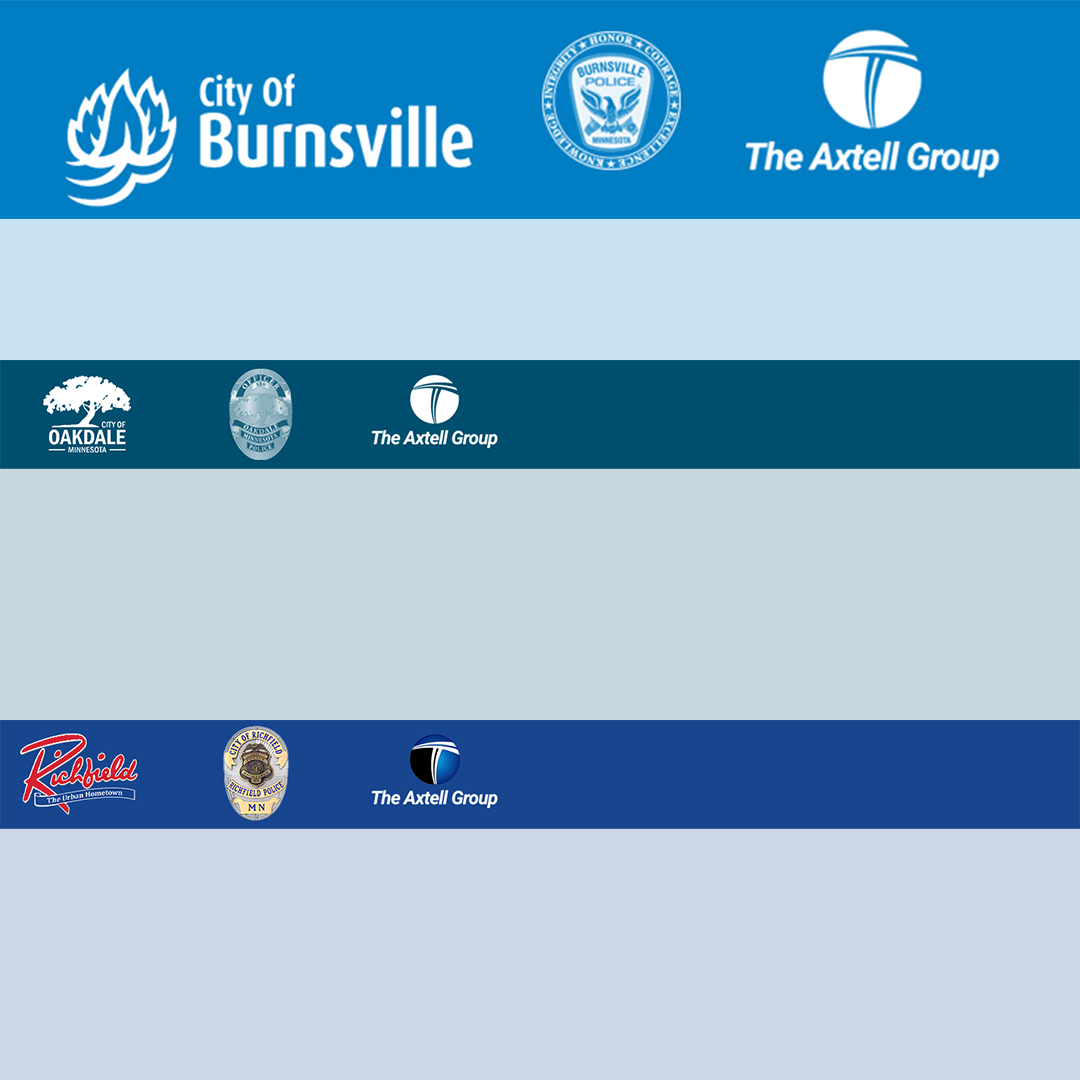
We designed and implemented a professional surveying regimen using the Zoho platform, tailored to The Axtell Group and their clients’ branding and needs. This included:

  • Creating custom, branded survey templates and email invitations
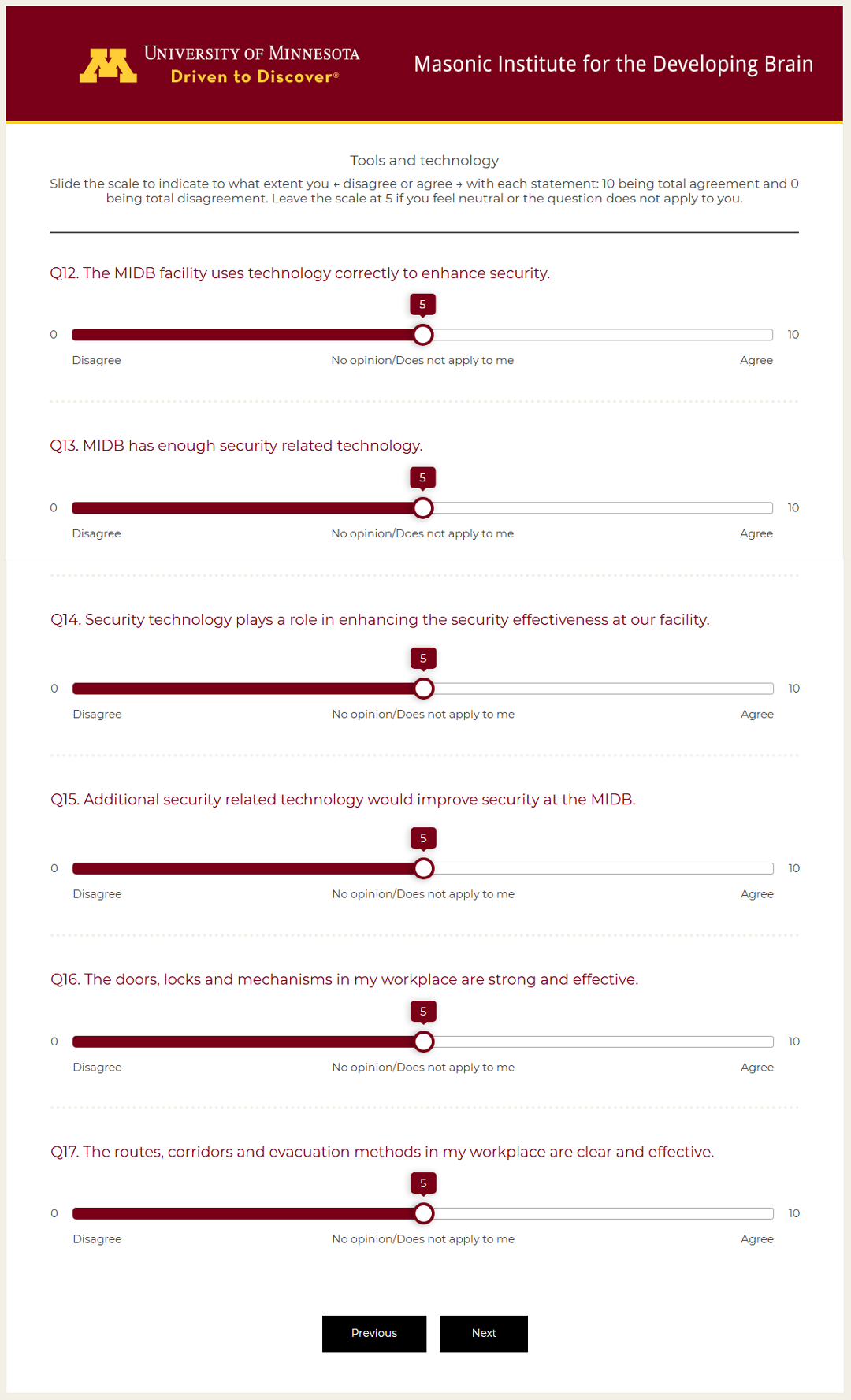
  • Building intuitive, user-friendly survey interfaces
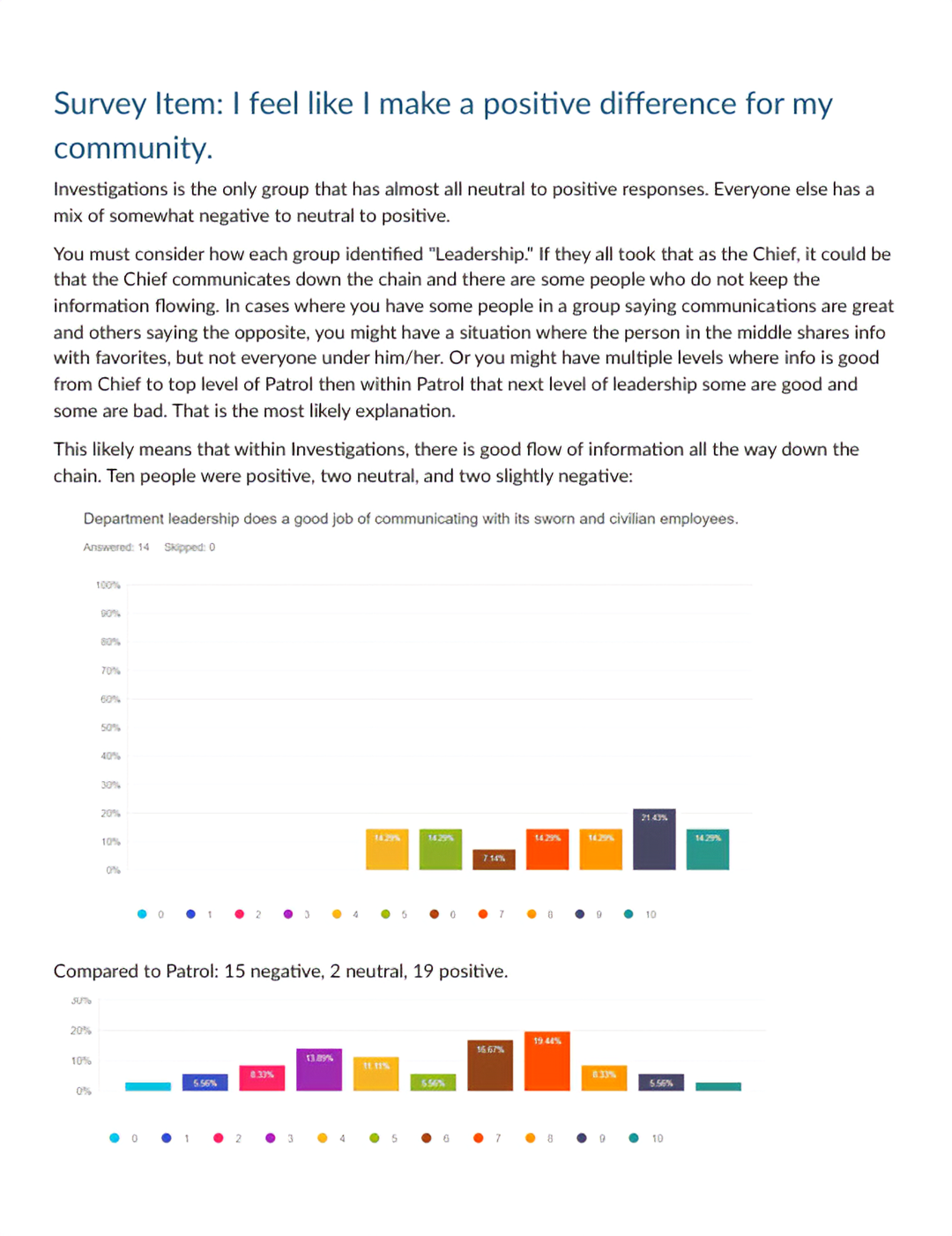
  • Administering surveys and providing in-depth analysis of results
  • Developing standardized processes for ongoing use
Co-branded survey email headers
Survey analysis example
Branded survey page

Once the system was established, we trained The Axtell Group’s communications director to independently manage future surveys, ensuring long-term sustainability.

communications logo formatting, survey administration, survey analysis, survey design

Bogie • Branding + Websites + Communications + Advertising • St. Paul, MN

Branding + Websites + Communications + Advertising

St. Paul, MN

  • The Vault
    • Design Concepts
    • Design Concepts by Type
    • Pesky Words
    • Pesky Words by Type
    • eBooks from the Bogie Vault



bogiewebstpaul.com

Terry created a beautiful, user-friendly website for Luther Memorial that reflects our mission and values. He understood our goals and expectations, and his creativity and sense of humor make it always fun to work with him. Communication was excellent, deadlines were met, and the final result exceeded our expectations.

—Robin Wagner

Director of Communication, Luther Memorial Church

Robin Wagner

Case study: Madison Church Website Redesign

Connect with me

About Services Case Studies Articles Contact

Branding + Websites + Communications + Advertising

St. Paul, MN

© 2026 Bogie • Branding + Websites + Communications + Advertising • St. Paul, MN
webstpaul.com • bogiewebstpaul.com

Log in

Privacy Policy